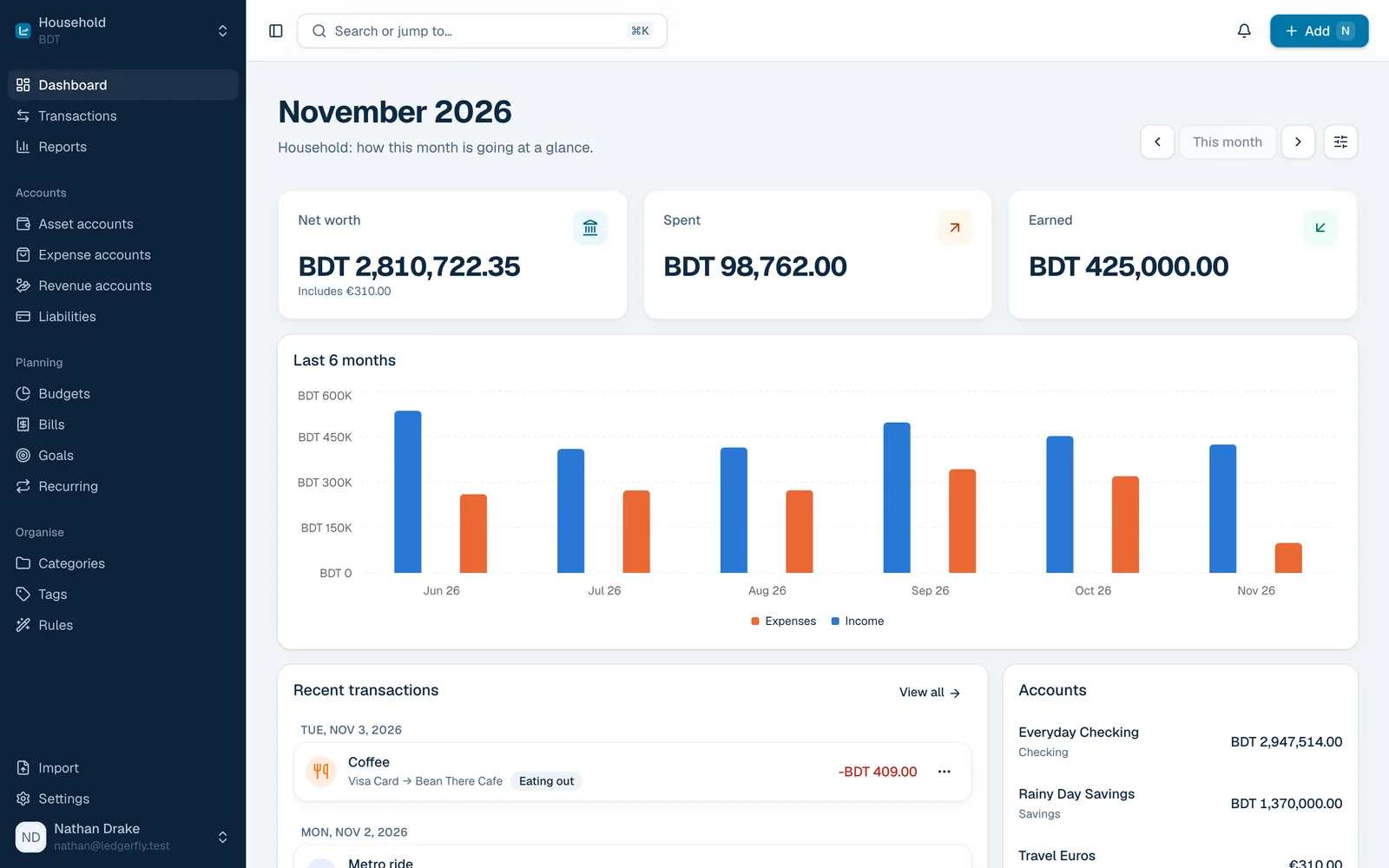
Budgets
Bills
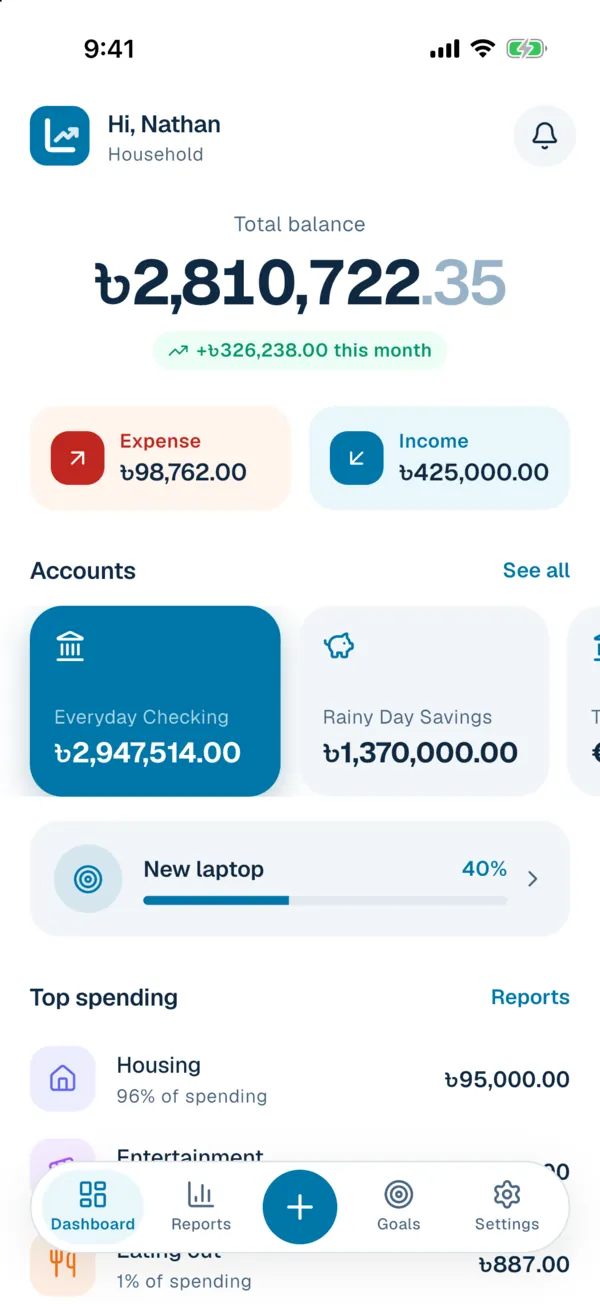
Goals
Your money, on your own server.
Open source, self-hosted and free forever. LedgerFly tracks accounts, budgets, bills and goals with real double-entry bookkeeping, on the web, Android and iPhone.
Open source AGPL-3.0 licensed
One command Docker Compose stack
Web and mobile Android and iOS apps
Groceries Monthly budget On track
৳50,400 of ৳70,000
Why LedgerFly
Built for the way you actually spend
Not another spreadsheet. A calm place for every account, bill and goal, that keeps up without asking much of you.
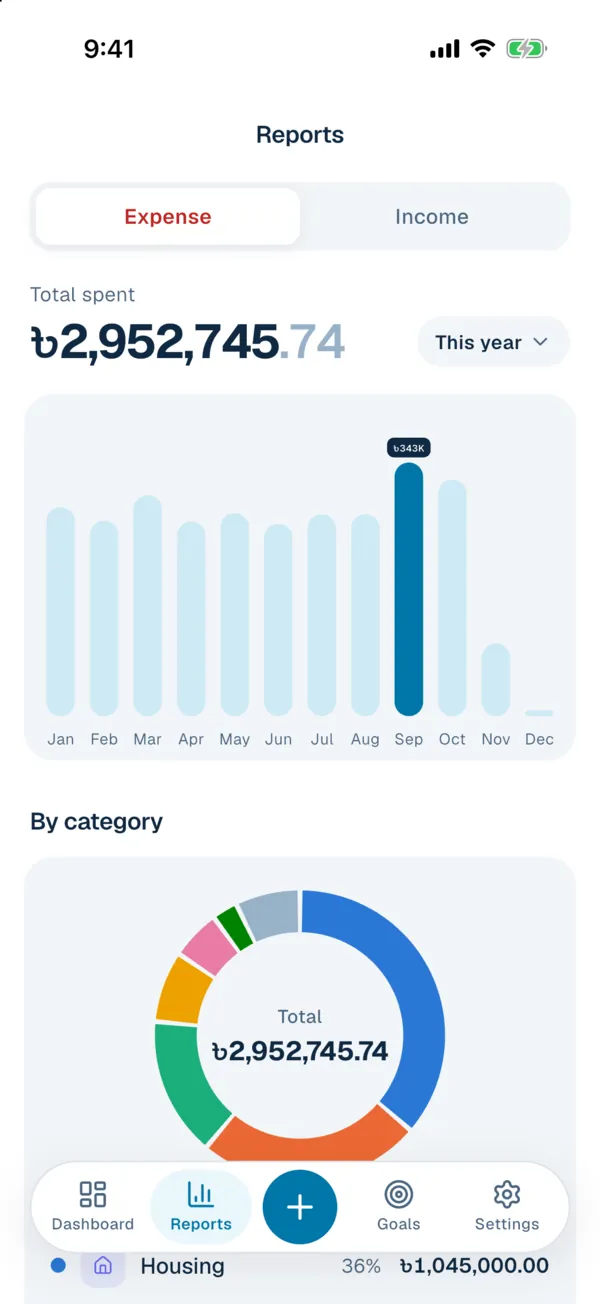
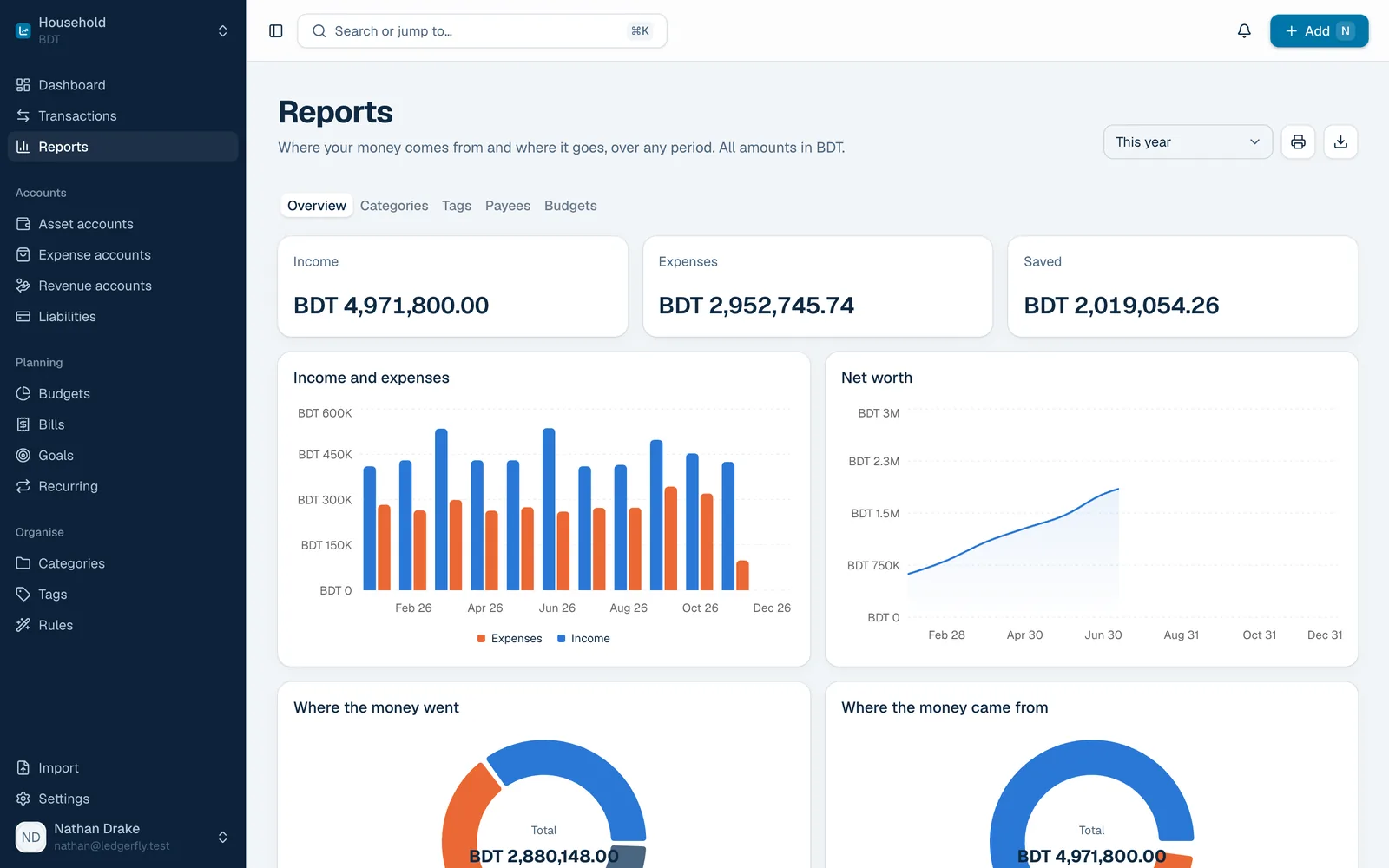
Spending this year
Housing Top category ৳1,045,000
Insight
Know where every taka goes
See spending by category, payee or tag for any period, with every currency converted to yours. Reports that make the next decision obvious.
See the reports
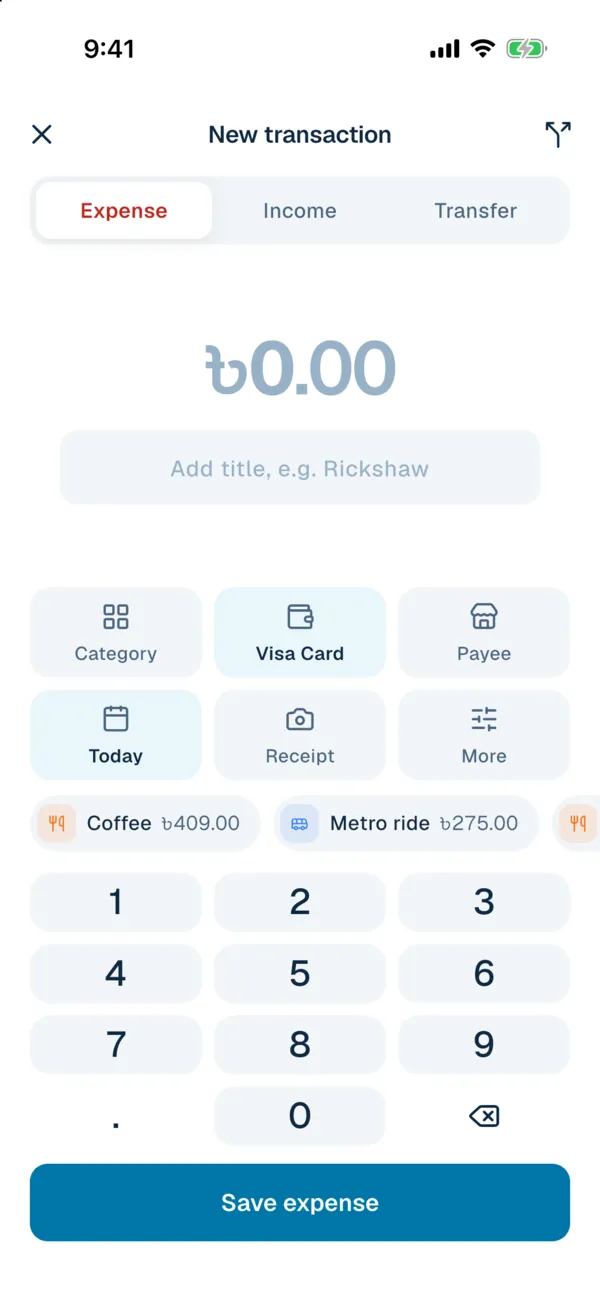
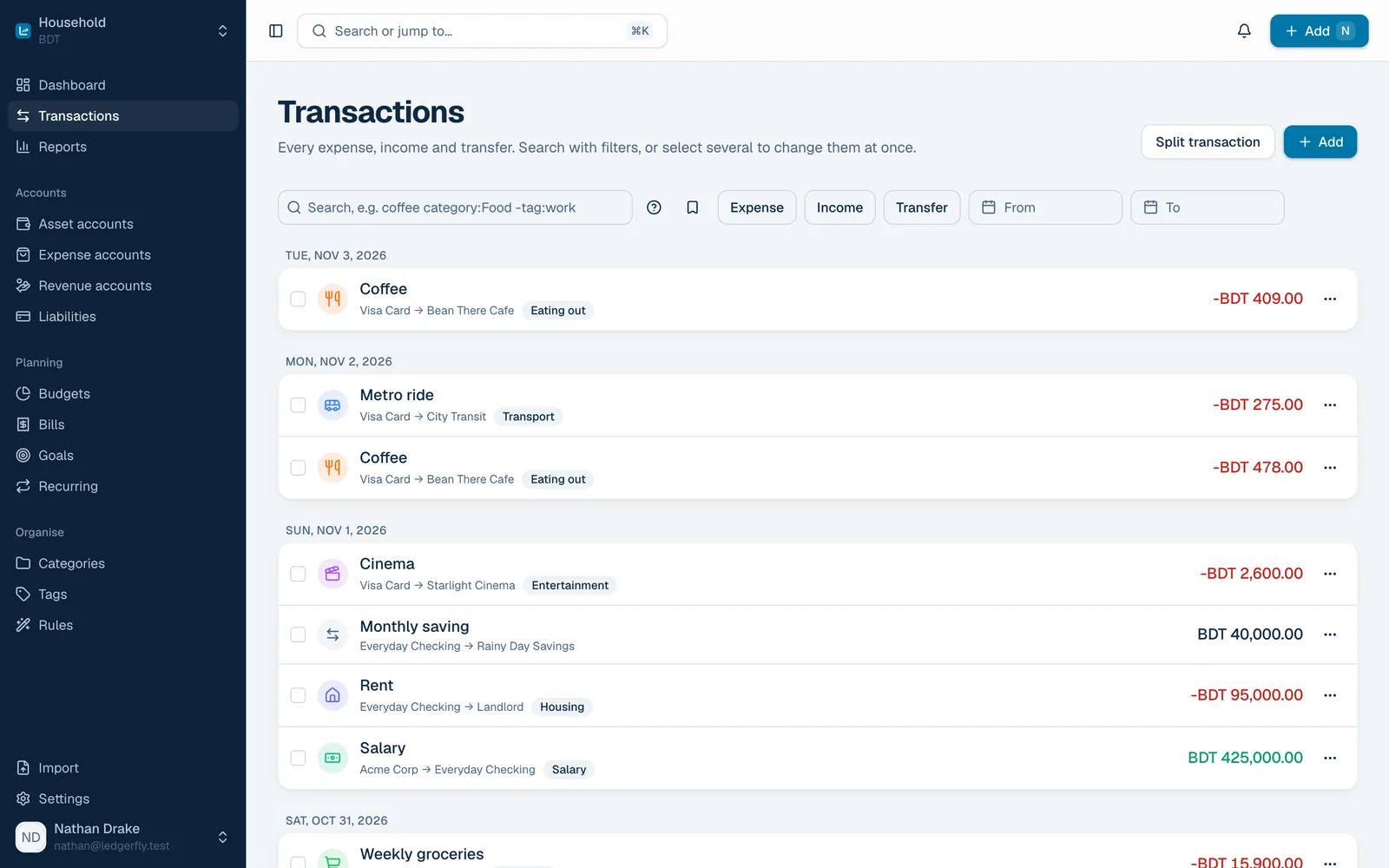
Coffee Eating out · Visa Card ৳409
No signal? 2 waiting, will sync on their own
Quick add
Log a purchase before you forget it
Open the app, type the amount, tap a category. Recent payees fill themselves in, receipts are one photo away, and it works offline.
Meet the apps
Widgets
Your month, right on the home screen
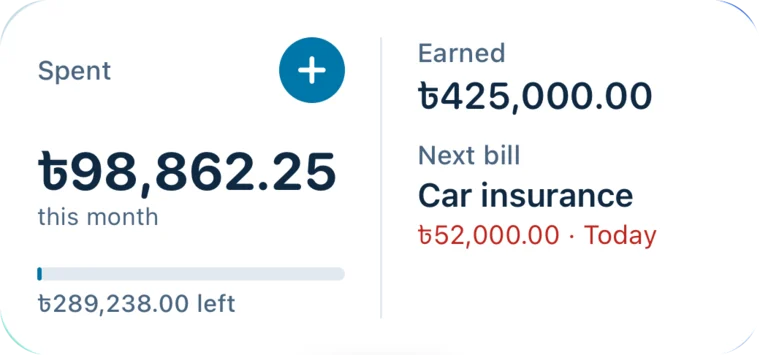
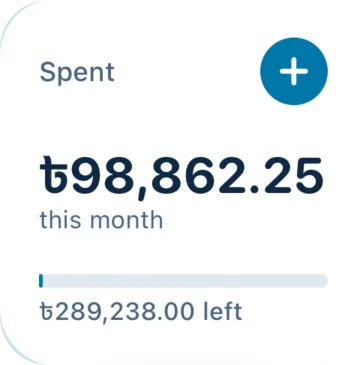
Home and lock screen widgets show what you have spent, the budget left and the next bill due. Tap + to add an expense without opening the app, or just ask Siri.
Small and medium widgets on iPhone and Android
Lock screen widgets on iPhone
Follows light and dark mode
Meet the apps
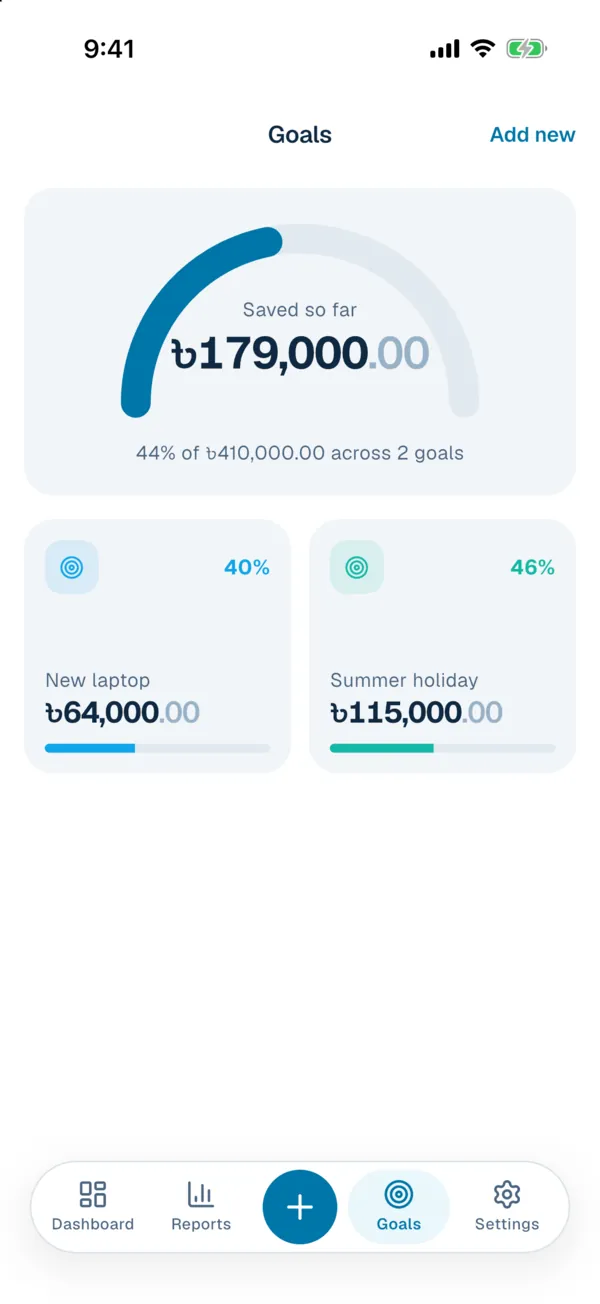
Summer holiday Due in 5 months 46%
Goals
Save for what matters next
Set a target and a date, add money when you can, and watch the progress fill up. Budgets that roll over keep the rest of the month honest.
Plan ahead
# on your own server $ docker compose up -d✔ mysql started✔ api started✔ queue started✔ scheduler started✔ web started
Stored on your server No tracking, no third parties
Privacy
Your data never leaves home
Everything lives in a database you own. No accounts with us, no analytics, no ads. Outside services are only contacted when you turn them on.
How to self-host
Money admin, done in minutes a week
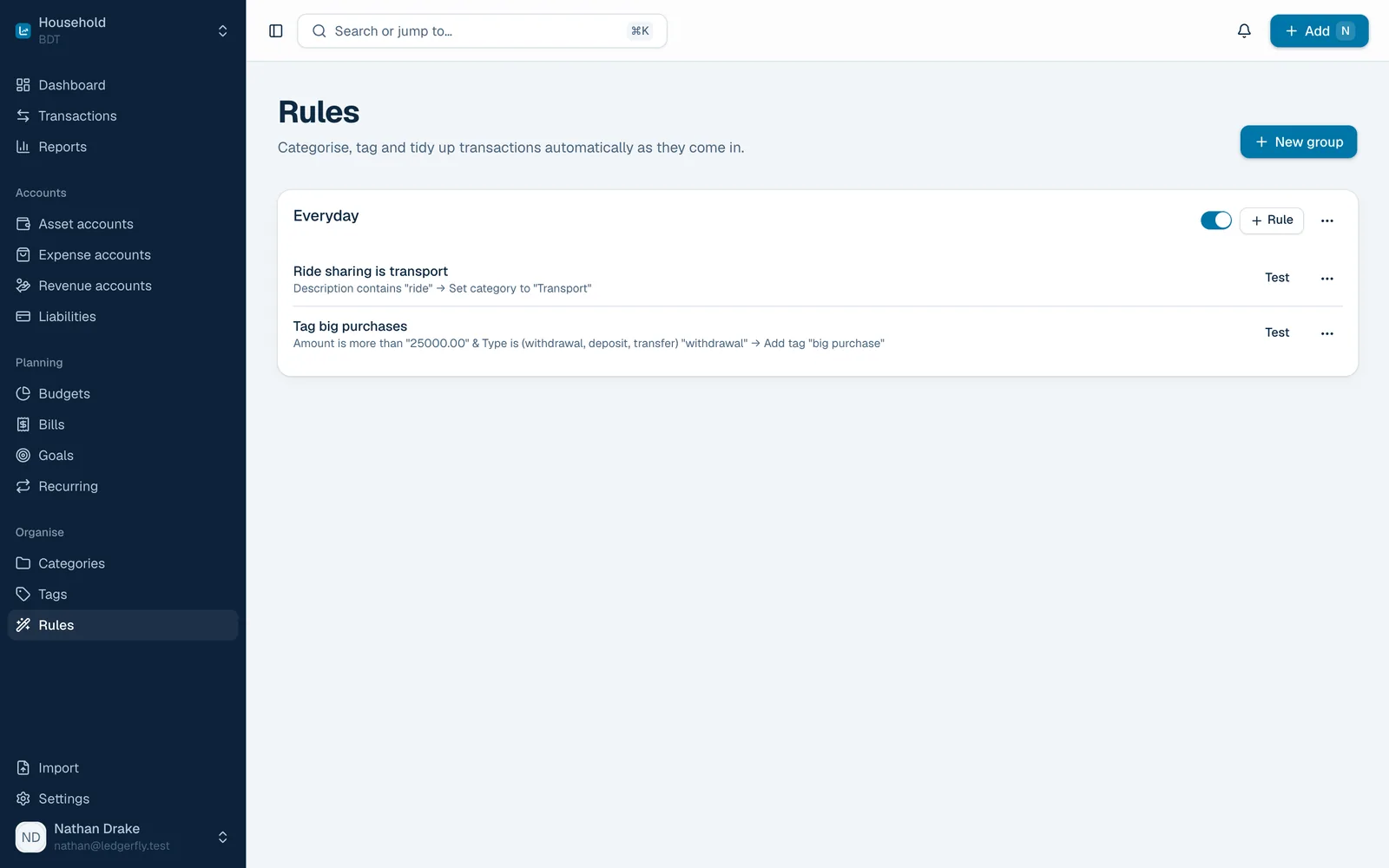
Rules file your transactions, bills remind you before they are due, and recurring payments record themselves.
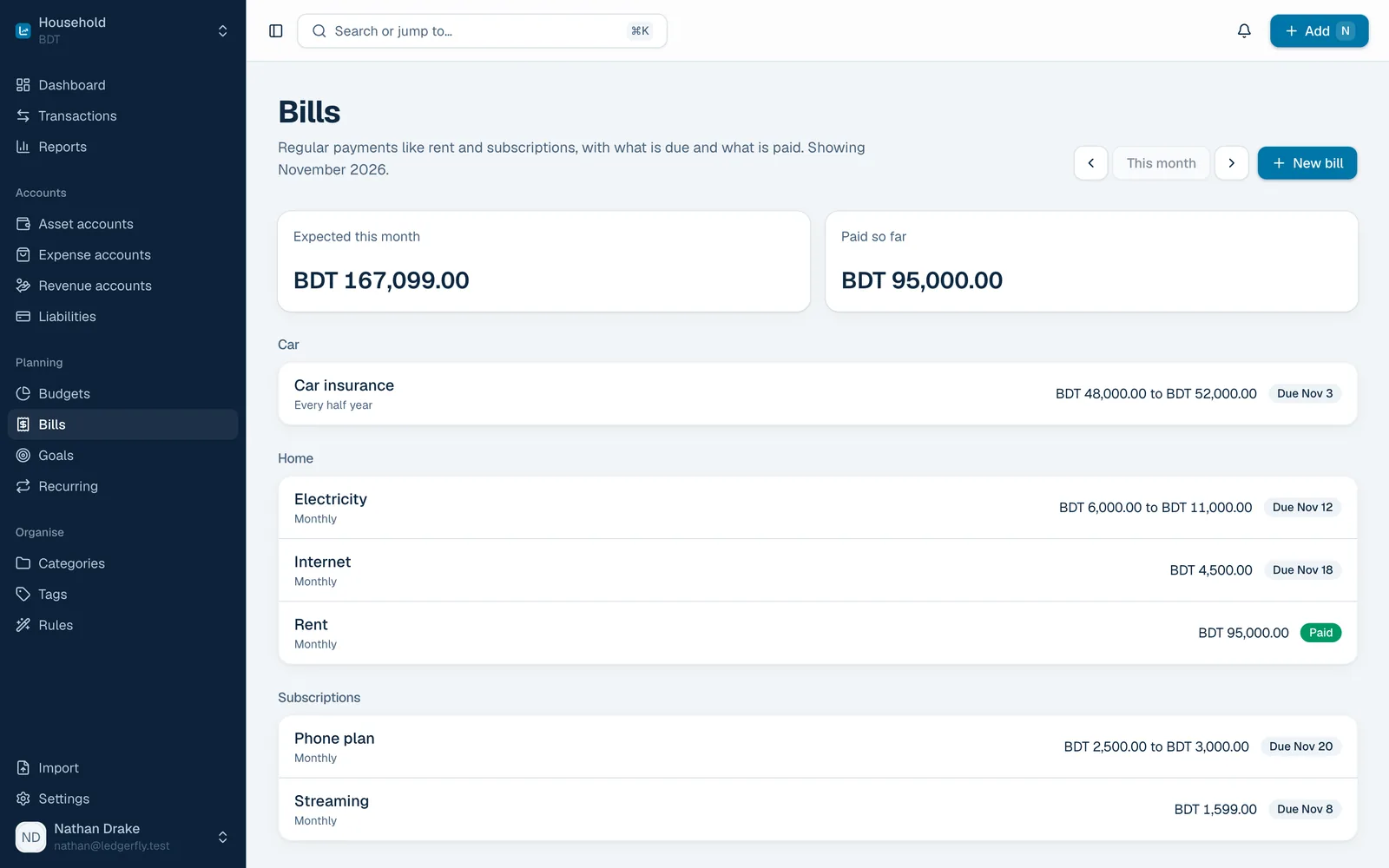
Bills this month
Electricity Due Nov 12 ৳8,500
Internet Due Nov 18 ৳4,500
Rent Nov 1 Paid
Rule matched “ride” → Transport
Gym membership Recorded on the 5th
Eating out at 80% Budget warning
Everything included
One app for the whole household
The solid accounting of Firefly III, rebuilt to be fast and pleasant every day.
Accounts and transactions
Every account you have, with running balances that always add up.
Checking, savings, cash, credit cards, loans and debts
Split one payment across categories and budgets
Reconcile against your bank statement
Receipts and attachments on any transaction
Reconciled Everyday Checking
Budgets, bills and goals
Plan the month and see what is left at a glance.
Budgets that reset or roll over, with warnings
Bills with expected amounts and due dates
Recurring transactions on any schedule
Savings goals with targets and dates
Eating out
৳20,000 of ৳25,000
Rules and automation
Teach it once, and it files every matching transaction for you.
Match on description, amount, account and more
Set category, budget, tags and notes automatically
Test a rule, then apply it to past transactions
Import CSV or camt.053 and let rules do the rest
Ride home Filed under Transport ৳1,200
Reports and insight
The full picture, for any period you choose.
Income against expenses, month by month
Net worth over time, including loans
Breakdowns by category, tag, payee and budget
Print or export any report
Saved this year
৳2,019,054
Multi-currency Accounts in any currency, with exchange rates fetched on a schedule.
Shared ledgers Invite family as owner, editor or viewer, each with their own sign in.
Alerts that reach you Email, browser push, ntfy or the mobile app, with quiet hours.
Import and backup Bring in bank statements and export a full JSON backup any time.
Webhooks and API Connect your own tools to a REST API and signed webhooks.
Two-factor sign in Authenticator codes and recovery codes keep accounts safe.
Home screen widgets Spending, budget left and the next bill at a glance on iPhone and Android.
Siri and Shortcuts Say “Add an expense in LedgerFly” or use the Action Button to log it.
Works offline New entries wait on the phone, receipts included, and sync when you are back online.
How it works
Running in about ten minutes
One Docker Compose stack with the web app, API, database, queue worker and scheduler. Follow along, no experience with servers needed.
01
Get a small server Any Linux machine with Docker. A VPS with 2 GB of RAM is plenty for a household.
# install Docker
curl -fsSL \
  https://get.docker.com \
  | sudo sh
02
Download and configure Clone the repository and fill in two short settings files.
git clone …/ledgerfly.git
cd ledgerfly
cp .env.example .env
03
Start everything One command starts the whole stack. Add Caddy in front for HTTPS.
docker compose up -d
# migrations run on start
04
Create your account The first sign up becomes the admin. Set up email, sign-ups and alerts from Settings.
# open your domain
https://money.example.com
Works with
Fits the tools you already use
FAQ
Questions, answered
Is LedgerFly free? Yes. LedgerFly is open source under the AGPL-3.0 license. There is no paid tier and no account with us; you run it on your own server.
Where is my financial data stored? Only in the database on your server. LedgerFly has no tracking or telemetry, and it only contacts outside services you turn on, such as exchange rates, email or ntfy.
What kind of server do I need? Any Linux machine that runs Docker. A small VPS with 2 GB of RAM is plenty for a household, and a home server works too.
Can I share a ledger with my family? Yes. Invite people to a ledger as an owner, editor or viewer. Everyone signs in with their own account.
Can I import my bank statements? Yes. Import CSV files with column mapping and saved profiles, or camt.053 statements. Duplicates are detected and your rules run on imported transactions.
Is there a mobile app? Yes. The Android app is coming to Google Play, and the iOS app can be built from source with Xcode. The web app also works on phones. See the apps page .
Take your finances home
Set up LedgerFly on your own server and keep every number where it belongs.
Salary Acme Corp +৳425,000
New laptop Goal 40%